

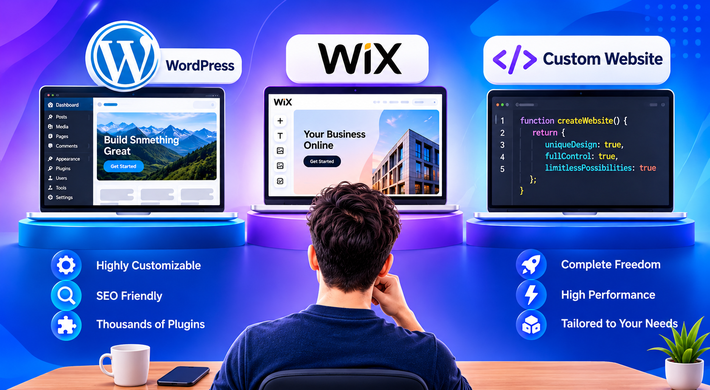
WordPress vs Wix vs Custom Website: Which to Choose?
Choose Wix if you want a simple, good-looking site live quickly with minimal upkeep. Choose WordPress if you want more control, strong SEO options and a site that can grow with content or an online store. Choose custom development if your business needs unique features, complex workflows or a web application that templates can’t handle.
Every month, small business owners ask us the same thing: “Should I use WordPress or Wix, or do I need something custom?” It’s a fair question, and the honest answer is that all three can be the right choice. It depends on what you’re building and where you want to be in two or three years.
We work with all three, and we’re a Wix partner, so we have no reason to push you towards one. Here’s how they really compare.
What’s the main difference between WordPress, Wix and custom development?
- Wix is an all-in-one website builder. You pick a template, drag and drop your content, and Wix handles hosting, security and updates.
- WordPress is open-source software. You choose your own hosting, theme and plugins, which gives you much more freedom but also more to look after.
- Custom development means a developer builds your site or application from scratch around your exact requirements, using a framework such as Laravel or a stack such as MERN.
Think of it as renting a furnished flat (Wix), buying a house and decorating it yourself (WordPress), or having a house designed and built for you (custom).
When is Wix the right choice?
Wix works well when speed and simplicity matter most.
Good for: freelancers, local service businesses, restaurants, portfolios, event pages and small sites with a handful of pages.
What you get: a visual editor that’s easy for non-technical people, hosting and security included, and a large library of templates and built-in apps for bookings, simple stores and forms.
What to watch for: you’re tied to Wix’s platform, so moving your site elsewhere later usually means rebuilding it. You also get less control over technical details, and very large or complex sites can feel limiting.
When is WordPress the right choice?
WordPress suits businesses that want flexibility and plan to publish content regularly.
Good for: business websites, blogs, news and content sites, service companies that want to rank on Google, and online stores using WooCommerce.
What you get: full ownership of your site, thousands of themes and plugins, strong SEO tools, and the freedom to switch hosts or developers whenever you like.
What to watch for: you’re responsible for updates, backups, and security. A cheap theme with a pile of plugins can slow your site down or create conflicts. WordPress rewards a good setup and some regular care. Our WordPress development team builds sites that stay fast and secure.
When do you need custom development?
A template, however good, has limits. Custom development makes sense when:
- You need unique features, such as customer portals, booking engines, dashboards, or marketplace logic.
- Your business has complex workflows or integrations with other software
- You expect heavy traffic or rapid growth.
- Your brand needs a design that doesn’t look like anyone else’s.
It costs more and takes longer than the other two, but you get exactly what your business needs and complete control. If you think you’re in this category, our website development services and Laravel development are a good place to start.
WordPress vs Wix vs custom: side-by-side comparison
| Features | Wix | WordPress | Custom development |
| Best for | Simple sites, quick launch | Content-led sites, blogs, small stores | Unique features, web apps, complex needs |
| Ease of use | Easiest | Moderate | Depends on the admin panel built for you |
| Design flexibility | Good within templates | High | Unlimited |
| Custom features | Limited, with apps and Wix Velo | Wide, through plugins and custom code | Anything you can specify |
| SEO control | Solid basics | Very strong with the right setup | Fully controllable |
| Ownership and portability | Tied to Wix | You own it and can move it | You own it |
| Ongoing upkeep | Handled by Wix | You or your developer | Maintenance plan recommended |
| Cost pattern | Lower upfront, ongoing plan fees | Moderate, plus hosting and maintenance | Highest upfront, built to your needs |
| Time to launch | Fastest | Fast | Fast |
Is WordPress or Wix better for SEO?
Both can rank well. Wix covers the basics properly: editable page titles, meta descriptions, URLs and mobile-friendly templates. WordPress offers more control, especially for larger sites, with plugins and flexible site structure. In practice, good content, a fast site and quality backlinks matter more than the platform you pick. If you plan to publish a lot of content, WordPress usually gives you more room. For a five-page business site, Wix is often perfectly fine.
How much does each option cost?
We won’t quote one number, because it depends on your pages, features and design. What we can say is how the costs behave:
- Wix: low to start, with a recurring plan fee that includes hosting.
- WordPress: a build cost plus hosting, a domain and some regular maintenance.
- Custom: the highest upfront investment, but there’s no template limit and no platform fee tied to someone else’s product.
The cheapest option is the one you won’t have to rebuild in a year, so think about growth before you decide.
So which one should you pick?
A simple rule of thumb:
- Just need to get online fast? Wix.
- Want to rank on Google and publish content over time? WordPress.
- Need something your competitors can’t copy off a template? Custom development.
Where Sortiq Solutions fits in
We’re an ISO 9001:2015 certified IT company in Mohali, near Chandigarh, and an official Wix Partner. That means we build on Wix when it’s the best fit, on WordPress when you need more control, and on custom code when your idea outgrows both. We’d rather tell you a simpler platform will do than sell you something bigger than you need. Have a look at our portfolio and case studies to see what we’ve built, and our website maintenance services keep your site secure after launch.
Frequently Asked Questions
Is Wix or WordPress better for a small business?
Wix is better if you want a quick, low-maintenance site. WordPress is better if you want more control, stronger SEO options and room to grow. Both work well for small businesses.
Can I switch from Wix to WordPress later?
Yes, but it usually means rebuilding the site on WordPress rather than a one-click transfer. Content can be moved, and URLs can be redirected to protect your search rankings, so plan the move with a developer.
Is WordPress free?
The WordPress software is free, but you still pay for hosting, a domain, and often a premium theme, plugins or developer time.
When should a business choose custom development over WordPress or Wix?
Choose custom development when you need unique features, complex workflows, integrations or a web application that templates and plugins can’t handle well.
Which is more secure: WordPress, Wix or custom?
Wix handles security for you. WordPress is secure when it’s kept updated and set up properly. Custom sites can be very secure, but only if they’re built and maintained with good practices.
Not sure which one fits your business?
Tell us what you’re planning, and we’ll give you an honest recommendation, even if it’s the simplest option. Talk to Sortiq Solutions for a free consultation.
